Digital illustration has transformed the way new artists enter the creative world. From my years working closely with emerging artists in gallery spaces and digital exhibitions, I’ve seen how accessible and flexible digital illustration has become. It removes many of the traditional barriers that once slowed artistic growth, such as material costs, studio space, and physical limitations.
For new artists, digital illustration offers an environment where experimentation is encouraged. Mistakes are not permanent, and learning happens faster because every adjustment is reversible. This freedom allows artists to focus on developing visual language, storytelling, and technique rather than worrying about wasting supplies.
The rise of digital platforms, online galleries, and NFT-based exhibitions has also made digital illustration a respected and profitable art form. Understanding digital illustration techniques early gives new artists a practical advantage, both creatively and professionally, in today’s art landscape.
What Digital Illustration Means in Today’s Art World
Digital illustration is no longer viewed as a secondary or lesser form of art. In contemporary galleries, it sits confidently alongside paintings, sculptures, and mixed media works. I’ve curated and reviewed digital pieces that demonstrate the same depth, intention, and craftsmanship as traditional art.
At its core, digital illustration is the creation of visual art using digital tools. This can range from clean vector illustrations to highly detailed painterly works that mimic traditional oils or watercolors. What defines strong digital illustration is not the software used, but the artist’s understanding of form, color, composition, and technique.
For new artists, this distinction is important. Learning digital illustration techniques is not about relying on shortcuts or effects. It is about translating fundamental art principles into a digital environment and using technology to enhance creative expression rather than replace skill.
Essential Tools Every New Digital Illustrator Should Know
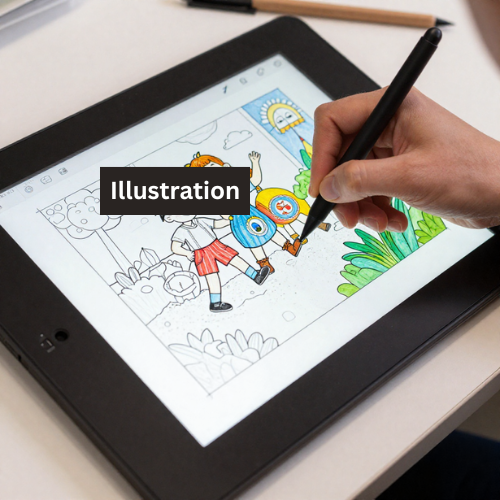
When artists ask me where to begin, I always emphasize that tools matter, but understanding them matters more. A basic setup is enough to produce professional-quality work when used correctly. This typically includes a drawing tablet or display tablet, a stylus with pressure sensitivity, and reliable illustration software.
Software such as Adobe Photoshop, Procreate, Clip Studio Paint, or Krita provides powerful tools designed specifically for illustration. Each has strengths, but the core techniques remain transferable. New artists should focus on mastering one program rather than constantly switching tools.
Hardware should support comfort and consistency. A responsive stylus, proper screen calibration, and a comfortable working posture directly affect line quality and endurance. Over time, investing in better equipment can help, but skill development always comes first.
Understanding Brushes, Layers, and Canvas Settings
Brushes, layers, and canvas settings form the foundation of digital illustration techniques for new artists. I’ve noticed that many beginners overlook these basics, which leads to frustration later. Taking time to understand them early makes every illustration process smoother.
Brushes define texture, line quality, and visual style. Learning how pressure sensitivity, opacity, and flow work allows artists to create expressive lines and controlled shading. Customizing brushes instead of relying solely on default presets helps develop a more personal look.
Layers provide flexibility and organization. Separating sketches, line art, colors, shadows, and highlights allows for non-destructive editing. Proper layer management not only speeds up workflow but also helps artists think more intentionally about construction and depth.
Canvas size and resolution are equally important. Working at the correct resolution ensures artwork looks sharp in both digital displays and print. New artists should understand DPI, canvas dimensions, and color modes to avoid technical issues later in their careers.
Core Digital Illustration Techniques for New Artists
At the heart of digital illustration are techniques that mirror traditional art skills. Strong observation, confident lines, balanced compositions, and thoughtful color choices remain essential. Digital tools simply offer new ways to apply these principles.
One core technique is working from rough sketches to refined results. Starting with loose forms helps establish composition before committing to detail. This layered approach keeps illustrations dynamic and prevents stiffness.
Another important technique is controlled experimentation. Digital illustration allows artists to test color schemes, lighting, and textures without fear. I encourage new artists to explore variations before settling on a final direction, as this builds visual confidence and decision-making skills.
Line Art Techniques That Create Clean, Professional Results
Line art is often the first thing viewers notice in a digital illustration. Clean, intentional lines communicate confidence and professionalism. From my experience reviewing portfolios, strong line work immediately sets artists apart.
Good line art starts with understanding line weight. Varying thickness adds depth and movement, while uniform lines can feel flat. Pressure sensitivity should be used deliberately to emphasize form and direction.
Stabilization tools can help beginners achieve smoother lines, but they should not become a crutch. Practicing hand control and drawing with purpose leads to more natural results. Over time, confident line art becomes a defining feature of an artist’s style.
Coloring Techniques to Add Depth and Visual Interest
Coloring is where many digital illustrations come alive. For new artists, learning effective coloring techniques is essential to creating engaging and believable artwork. Flat color fills are only the beginning.
Using color layers strategically allows artists to build depth through shadows, highlights, and subtle transitions. Blending modes can enhance lighting effects when used sparingly and intentionally. Understanding warm and cool color relationships also improves realism and mood.
I often advise artists to limit their color palettes. Controlled color choices create harmony and strengthen composition. As skills grow, experimenting with more complex palettes becomes easier and more impactful.
Shading and Lighting Methods Used by Professional Illustrators
Shading and lighting are what give digital illustrations a sense of form and realism. In gallery evaluations, I often notice that new artists struggle not because of weak drawing skills, but because lighting is treated as an afterthought. Strong lighting choices immediately elevate an illustration.
Understanding a single, clear light source is the foundation. Before adding shadows, I always determine where the light originates and how it interacts with the subject. This approach creates consistency and prevents muddy or confusing results.
Digital tools allow for smooth gradients and subtle tonal transitions, but restraint is key. Soft shading works well for atmospheric pieces, while harder edges can create drama and focus. Mastering shading techniques takes time, but it is one of the most rewarding skills for new digital illustrators.
Texture and Detail Techniques That Make Artwork Feel Alive
Texture adds character and realism to digital illustrations. Without it, artwork can appear overly smooth or artificial. I’ve seen many strong compositions fall flat simply because texture was ignored or overused.
Digital brushes that simulate traditional media are useful when applied with intention. Light texture on clothing, skin, or background elements adds visual interest without overwhelming the illustration. Texture should support the subject, not distract from it.
Details should be placed strategically. Viewers naturally focus on faces, hands, and focal points, so these areas deserve more attention. Leaving secondary areas less detailed helps guide the eye and strengthens overall composition.
Common Digital Illustration Mistakes New Artists Should Avoid
One of the most common mistakes I encounter is over-reliance on effects. While digital tools offer shortcuts, excessive filters, glows, and textures often weaken an illustration. Strong fundamentals always matter more than visual tricks.
Another frequent issue is poor layer organization. Disorganized files make revisions difficult and slow down progress. Developing a clean workflow early helps artists work more efficiently and professionally.
New artists also tend to rush the process. Skipping sketch refinement or lighting planning leads to problems later. Taking time at each stage results in stronger, more confident artwork and fewer corrections.
How to Practice Digital Illustration Techniques Effectively
Effective practice is intentional, not repetitive. Simply drawing every day without focus can limit growth. I encourage new artists to practice specific digital illustration techniques, such as line control, color harmony, or lighting studies.
Studying professional artwork is equally important. Analyzing how experienced illustrators use light, color, and composition provides valuable insight. Recreating techniques for learning purposes can sharpen observation skills.
Setting small, achievable goals helps maintain consistency. Whether it’s completing one finished illustration per week or practicing a single technique daily, structured practice leads to steady improvement over time.
Developing a Personal Style Through Digital Illustration
Personal style is not something that appears overnight. From my experience working with emerging artists, style develops naturally through consistent practice and exploration. It is shaped by influences, preferences, and technical choices.
New artists should focus on learning fundamentals before worrying about style. Once techniques become second nature, individual expression begins to emerge. Brush choices, color palettes, and subject matter gradually form a recognizable identity.
Digital illustration allows for experimentation without risk. Trying different approaches, genres, and visual moods helps artists discover what feels authentic. Over time, this experimentation becomes a signature style.
How Digital Illustration Fits Into Modern Art Galleries and Creative Careers
Digital illustration has secured a firm place in modern galleries and creative industries. I’ve seen digital works displayed in physical exhibitions, online galleries, and curated collections alongside traditional media.
For new artists, digital illustration opens doors to multiple career paths. These include gallery exhibitions, freelance illustration, concept art, publishing, and digital collectibles. Technical skill combined with artistic vision is highly valued.
Understanding digital illustration techniques also helps artists present their work professionally. High-quality files, consistent resolution, and polished presentation make artwork suitable for exhibition and sale in contemporary art spaces.
Final Thoughts: Mastering Digital Illustration Techniques as a New Artist
Digital illustration is a powerful medium for new artists willing to invest time and effort into learning proper techniques. From line work to lighting, every skill builds upon the last, creating a strong artistic foundation.
In my experience, the artists who succeed are those who approach digital illustration with patience and curiosity. They respect the craft, study fundamentals, and use digital tools to enhance their creative voice.
Mastering digital illustration techniques is not about speed or perfection. It is about growth, confidence, and commitment to the art. With consistent practice and thoughtful exploration, new artists can create work that stands confidently in both digital and gallery spaces.